Introduction:
The article describes, how can i configure the merged pdf export from custo diagnostic and cortex, and the Workflows.
Configuration Cortex:
Licences activated? see => https://www.customed.de/docs/x/BQA_Ag
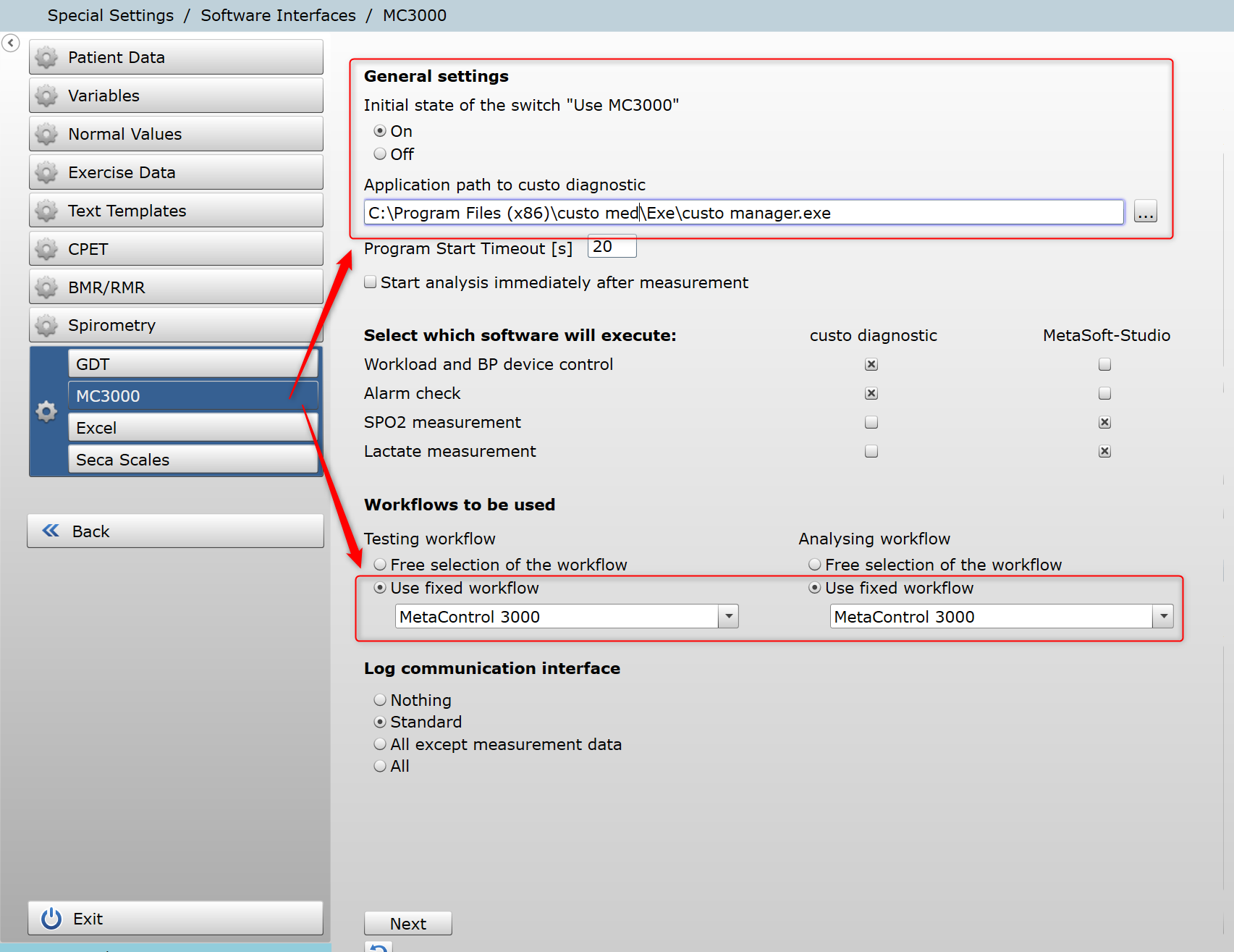
Check setting mc3000 Workflow is activated:
Printout is configured:
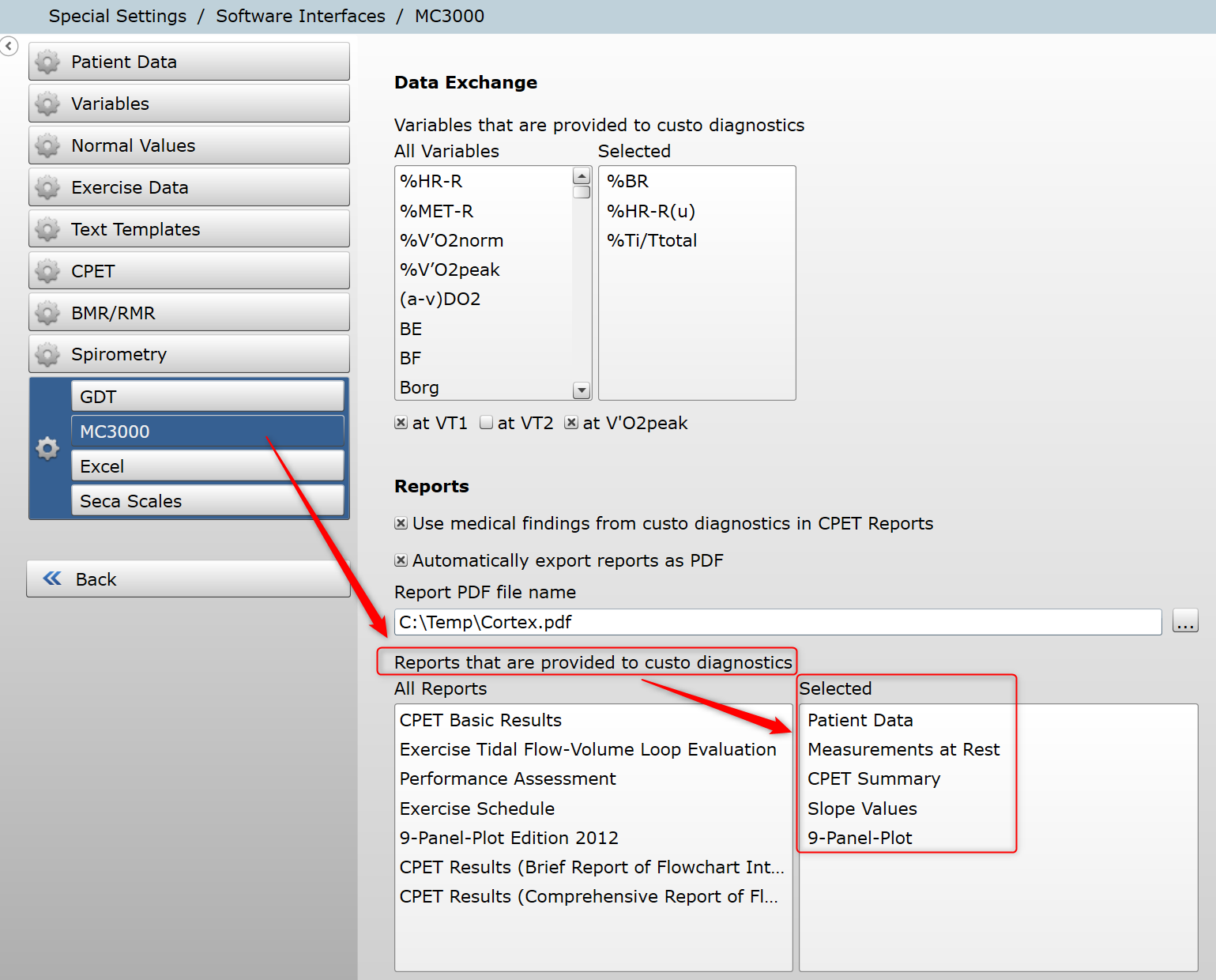
Configuration custo diagnostic:
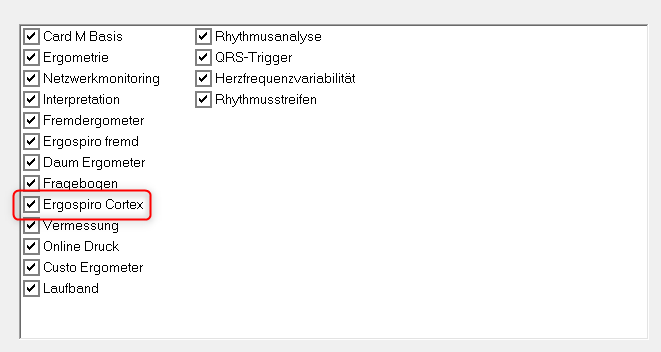
Keyoption is integrated:
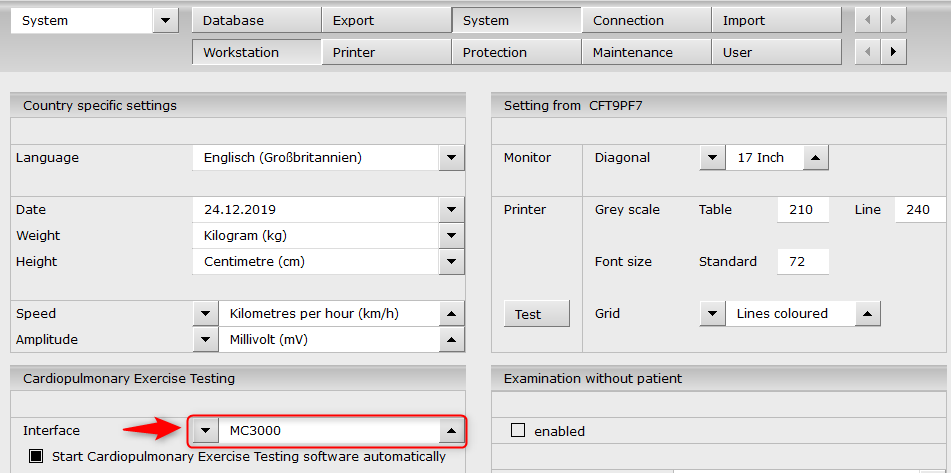
Interface is configured:
EPR System is configured for the export
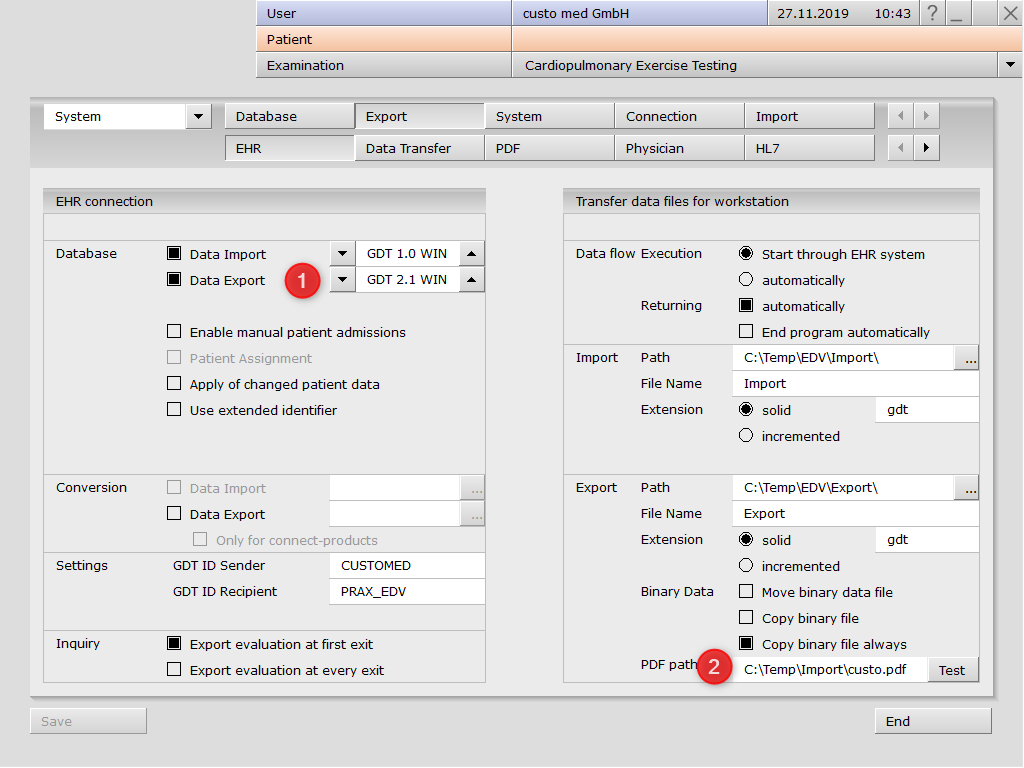
(1) Option "GDT 2.1" is necessary (2) Export path pdf file
PDF File for export is activated:
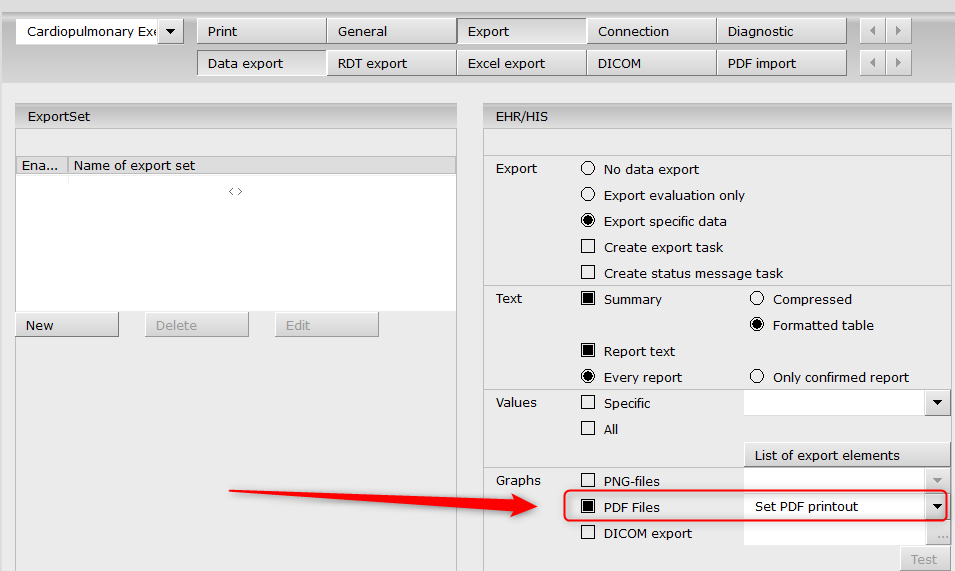
PDF Printout is configured:
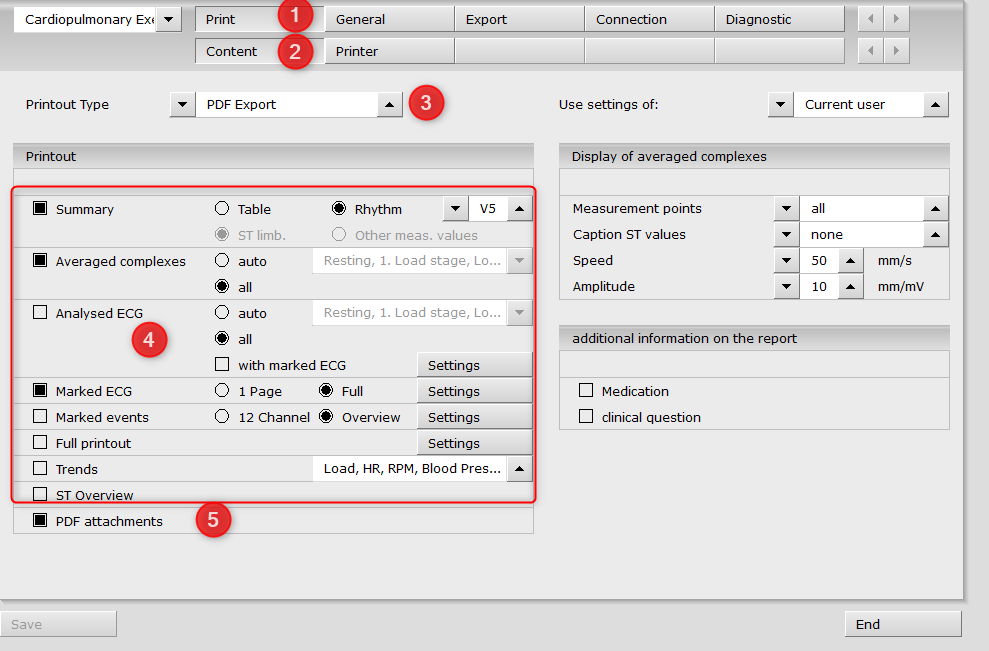
open the configuration Page from CPET (1) Print (2) Content (3) Printout Type "PDF Export" (4) select Print Options (5) PDF attachments for the cortex printout
Install tool pdftk_free, see attachment
Urgently!! Please read the conditions for use this tool, see https://www.pdflabs.com/tools/pdftk-the-pdf-toolkit/
Configuration Servicecenter custo diagnostic:
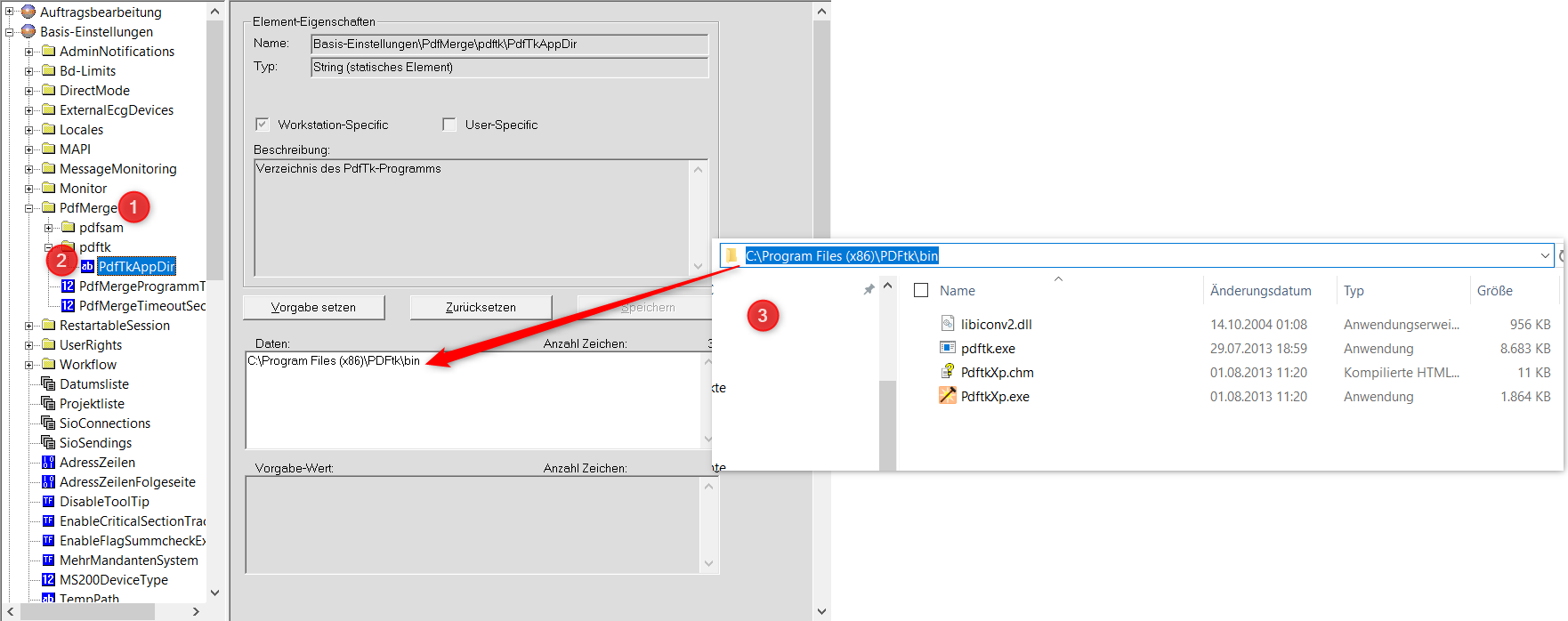
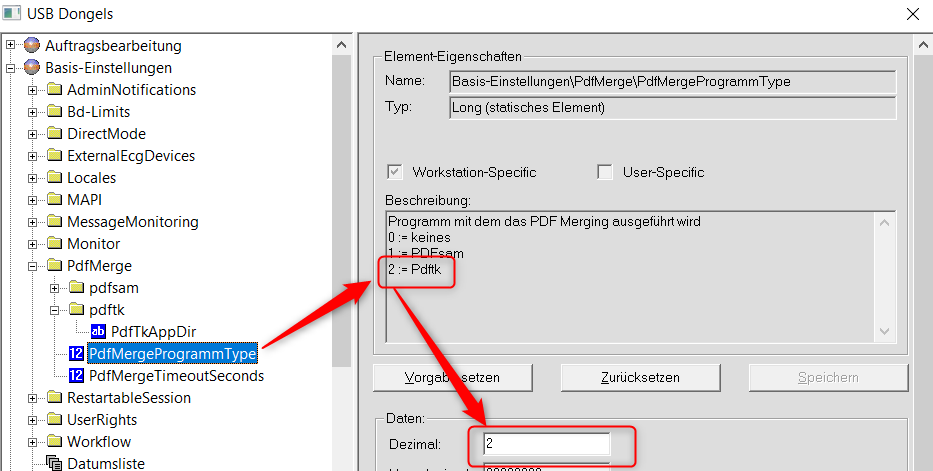
Servicecenter Settings (1) "PDFMerge" (2) Folder from PdfTk (3) read the folder and save
and set the PDF Merge Programm Type "2" and save:
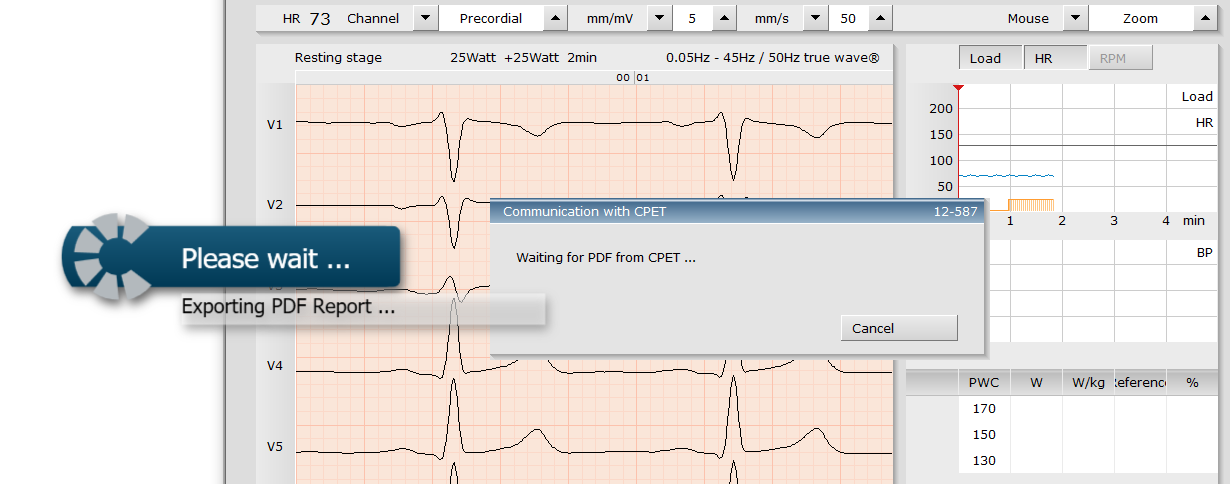
Workflow:
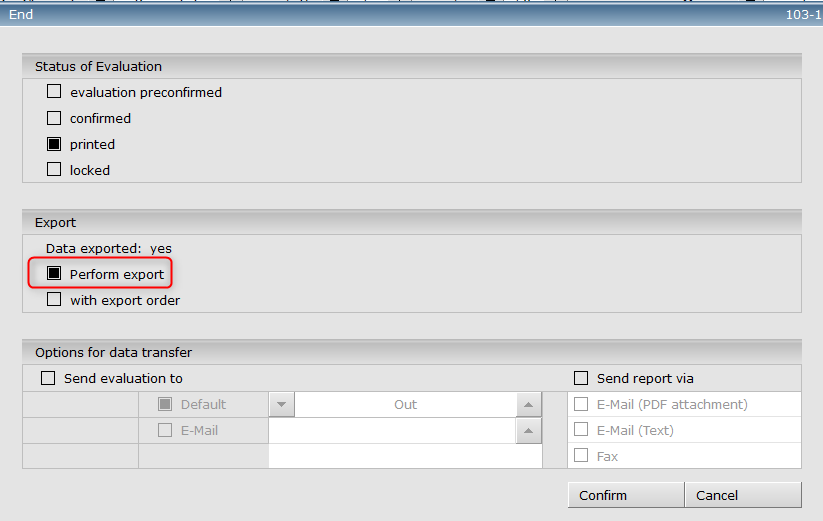
3. available the Export Option "Perform Export"
4. the result