What is custo secure?
custo secure is a service of custo med providing a secure data exchange between evaluation centers and their sending practices.
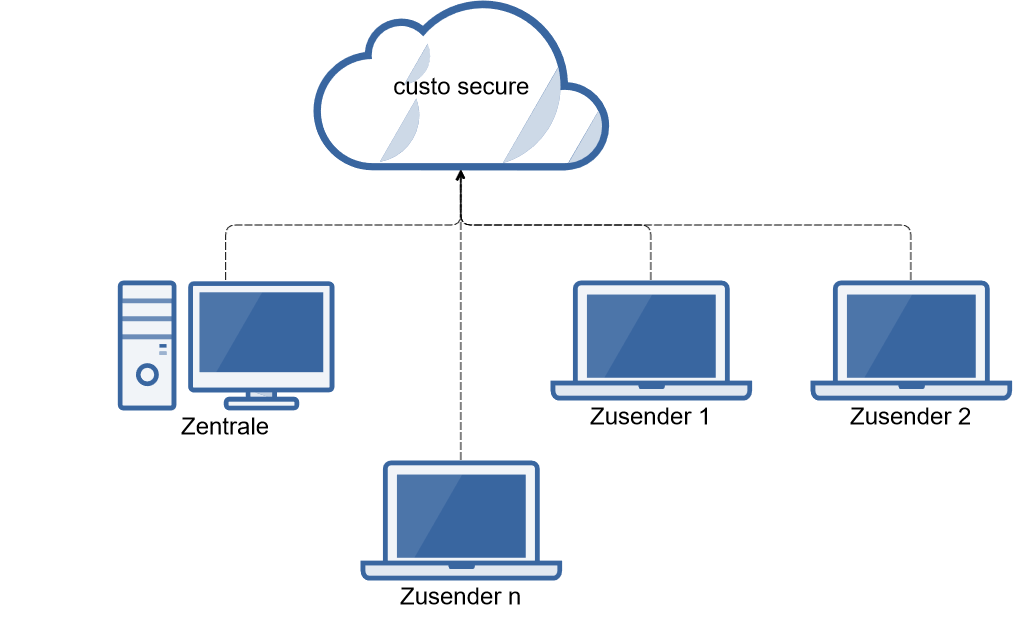
The service can be used in parallel to the old RDT direct service, which allows a step by step change of all sending practices (the customers) of an evaluation center to the custo secure service.
Prerequisites
Both parties need custo diagnostic servers with direct internet access to the custo secure servers. For this best test beforehand with the Firefox browser logged on the server whether the 2 URLS can be opened with a result "forbidden":
https://api.secure.customed.de
https://secureproduction.s3.eu-central-1.amazonaws.com
As some practices may use the service of IT service providers changes to their network environment settings may take time.
On the evaluation center side always the highest custo diagnostic server and client version must be installed. Beyond that on version 5.6 level no version below 5.6.5 should be used on the server side. For the clients a minimum version of 5.6.4 should be used. If an evaluation center customer cannot be convinced to change to the version 5.6 level the use of the versions 5.5.9 and and 5.4.9 is possible as well if the sending practices do not use higher custo diagnostic server and / or client versions.
On the sending practice side one of the versions 5.6.4 (or higher), 5.5.9, 5.4.9 or 4.6 with the RDT 1.5 tool is possible.
The evaluation center needs an evaluation center account (created by the responsible custo med partner) and the sending practice a config file created by its evaluation center.
The Amazon Root CA 1 certificate must be considered as trusted on all involved custo diagnostic servers.
Setup of the evaluation center
Log on with your custo med partner account to custo secure admin server and make sure that the evaluation center has an account. If not create one.
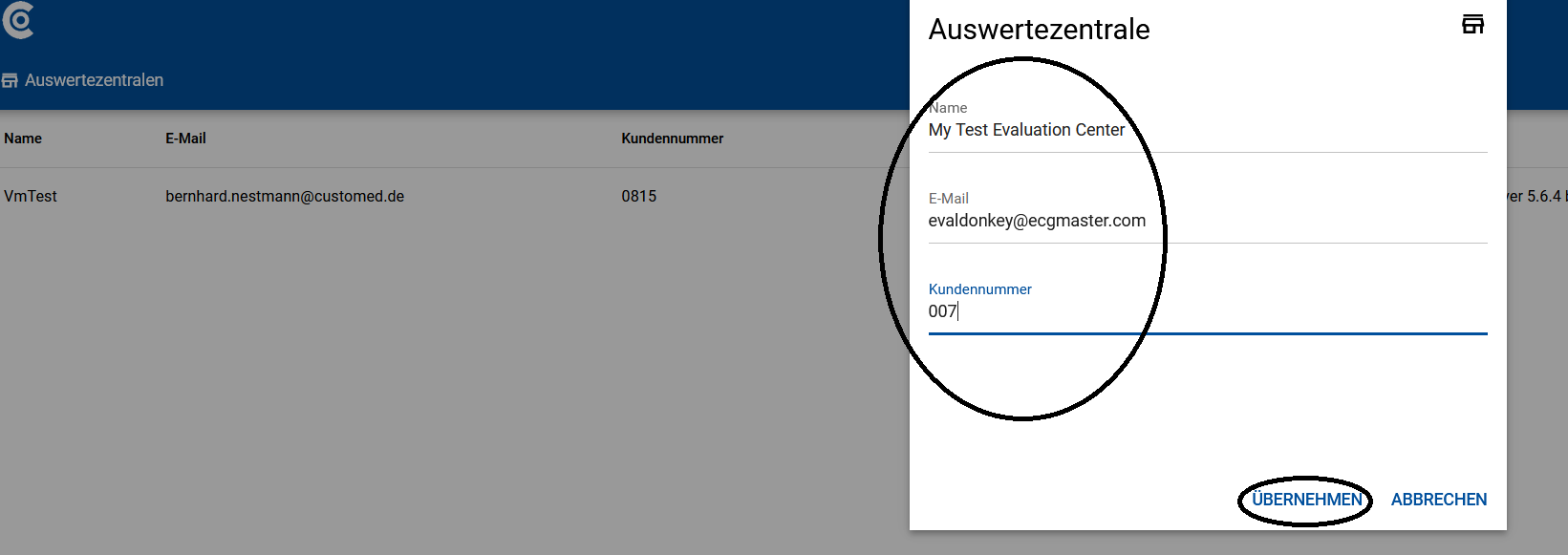
The config file is by default stored in the downloads directory of the browser. It contains user name and initial password of the evaluation center.
The go to the service center of the evaluation center which must have the same custo diagnostic version as the server and press the configure button to import the config file.

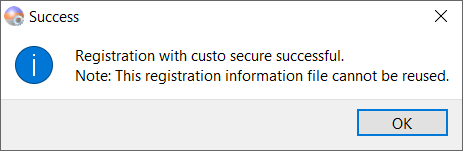
Afterwards don't forget to press the "Backup private key" button and to save the file at a save location for the evaluation center.

Setup of the sending practice
Similar to the process of direct RDT the configuration of the sending practice starts at the evaluation center with the setup of a doctor and a config file belonging to it:
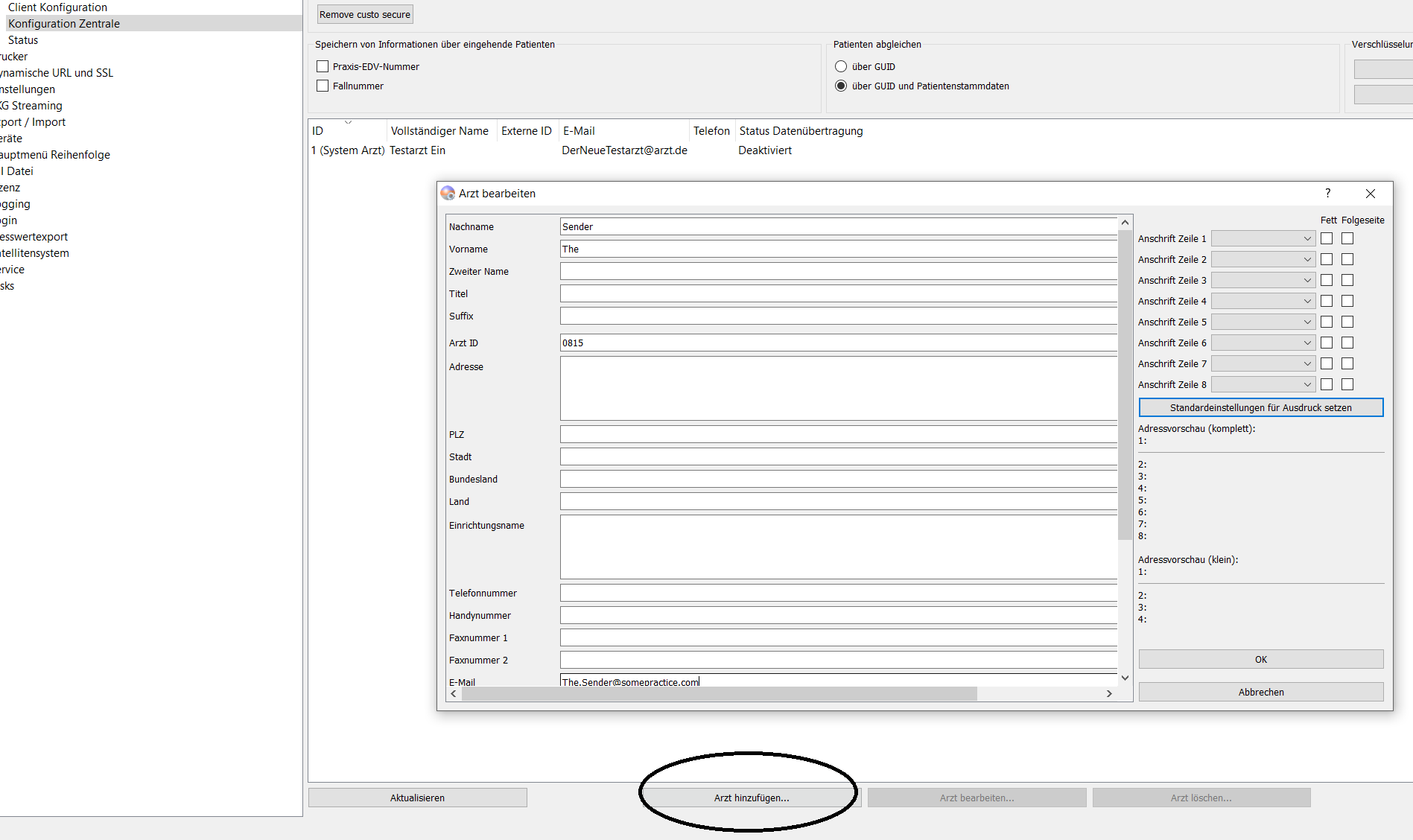
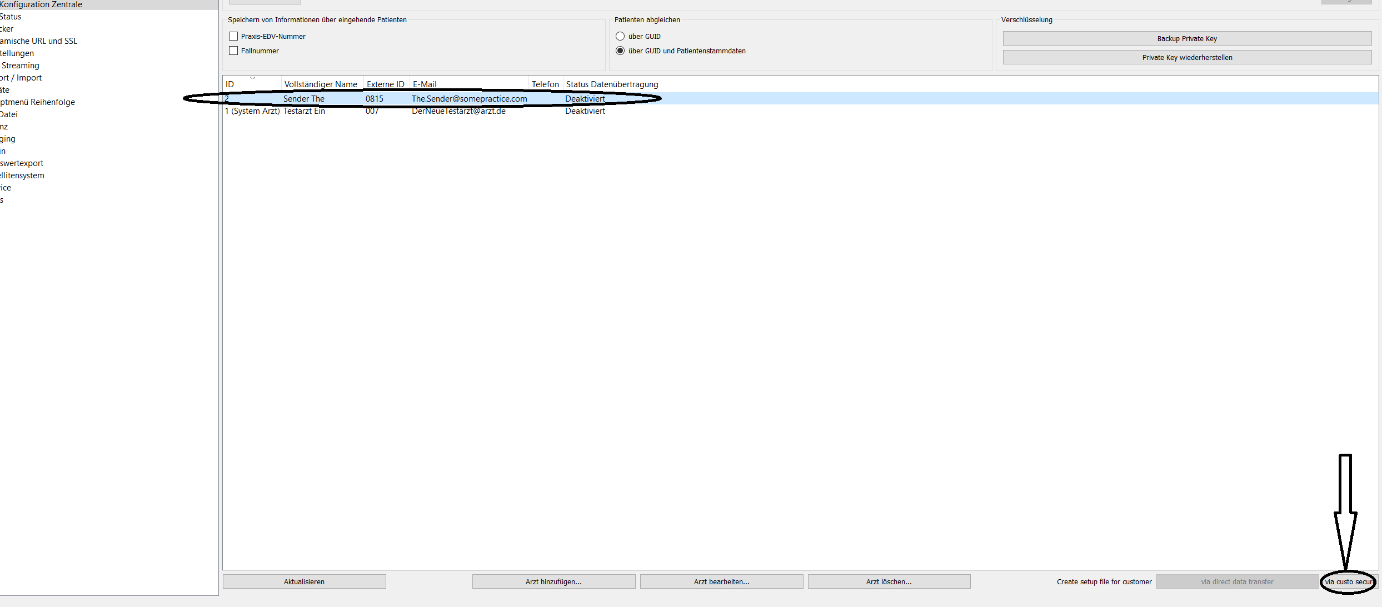
Safe the config file and transfer it to the sending practice and set up the data transfer there in the service center:

One more advice for troubleshooting and a proper identification of the sending practice in the custo secure admin surface: Use the comments field of the doctor configuration of the sending practice:
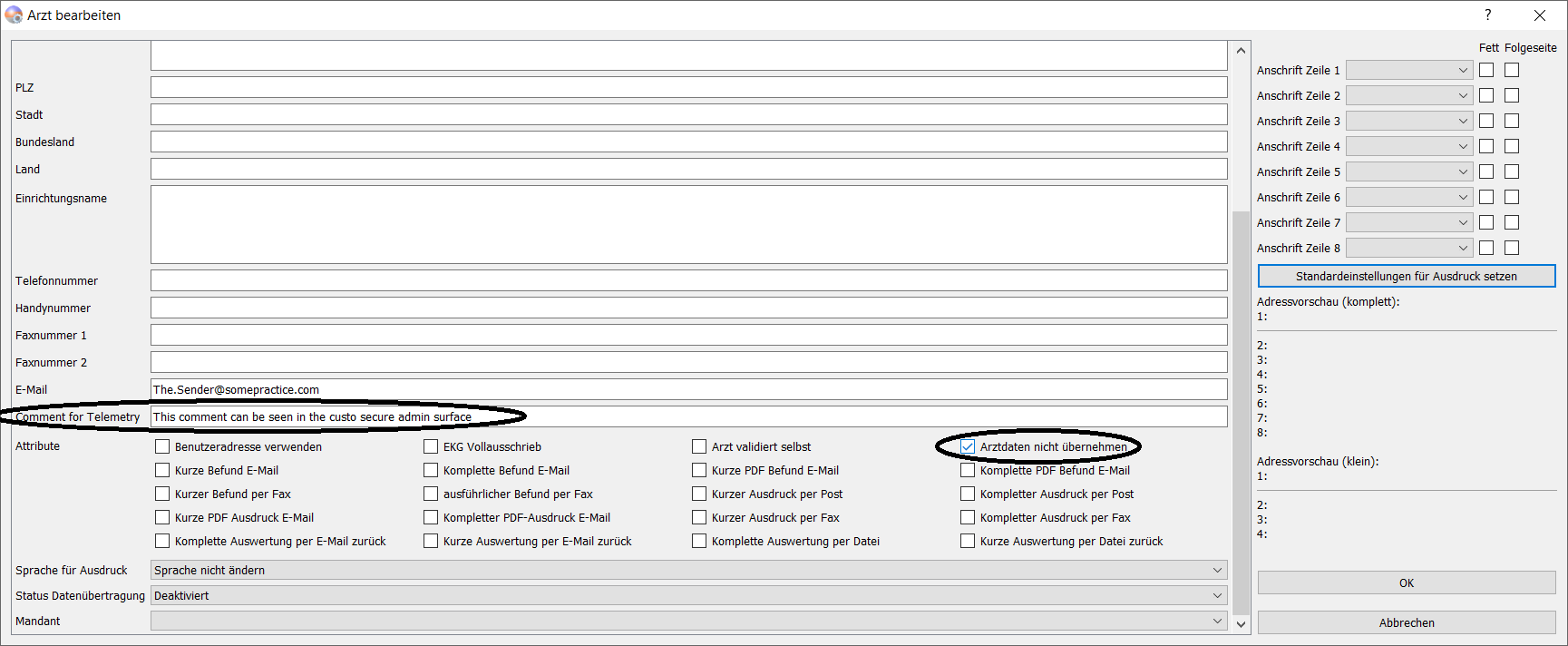
The information you enter here (e.g. the customer number) may be more helpful for you than only the system GUID you can see by default.
Some words about trouble shooting
See here best in the doc https://www.customed.de/docs/x/CQBuBg